1 / 7 · Click to enlarge
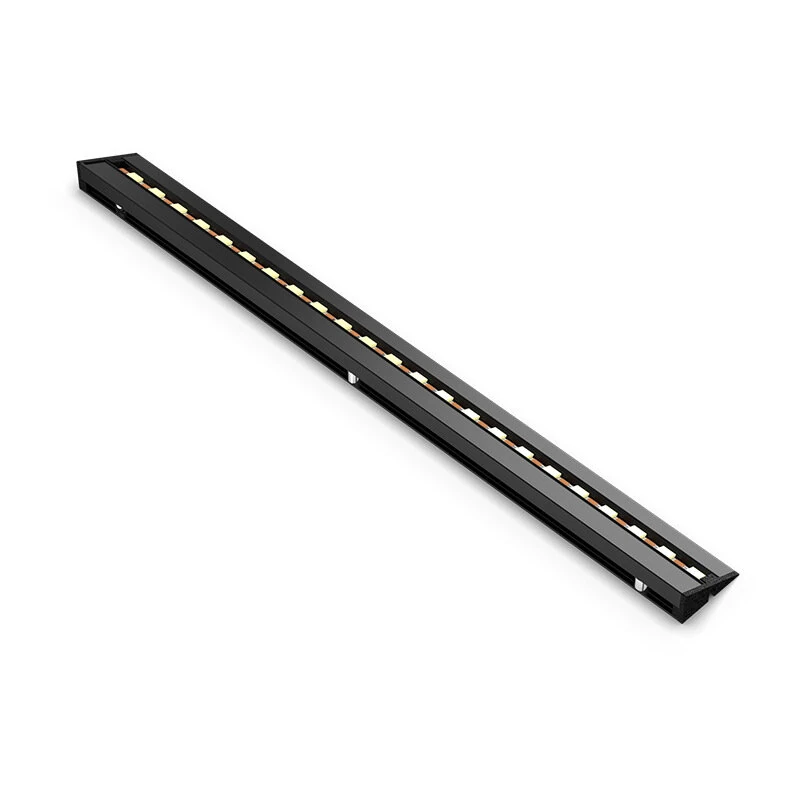
BIQU Panda Lux LED Light Bar 5V 0.3A 31 LEDs 6000K Aluminum Alloy Magnetic Mount Plug and Play Upgrade for Bambu Lab X1 P1 Series 3D Printer Illumination Accessory
The BIQU Panda Lux LED Light Bar 5V 0.3A 31 LEDs 6000K Aluminum Alloy Magnetic Mount Plug and Play Upgrade for Bambu Lab X1 P1 Series 3D Printer Illumination Accessory by BIQU is a value-for-money product designed for everyday users.
Available Offers
Free Delivery on this order. No minimum order value.
15-Day Easy Returns — hassle-free return & full refund.
Secure Payment — 100% safe checkout with UPI, Cards & Net Banking.
22% Off — you save ₹407 on this product!
Color: Black
Available Offers
5% Cashback
Pay with UPI & get 5% cashback (up to ₹50) via Razorpay
No-Cost EMI
Available on select bank cards at checkout. 0% interest for 3 months.
Free Shipping
Free delivery on all orders. No minimum order value.
Cash on Delivery
COD available on orders up to ₹5,000 across India.
Ideal For
About This Product
The BIQU Panda Lux LED Light Bar 5V 0.3A 31 LEDs 6000K Aluminum Alloy Magnetic Mount Plug and Play Upgrade for Bambu Lab X1 P1 Series 3D Printer Illumination Accessory by BIQU is a value-for-money designed for everyday users. It delivers reliable performance at an accessible price.
Why Buy from Pricio?
Pricio sources this product directly, cutting out multiple middlemen. Every order includes free shipping, a 15-day return policy, and secure payment via Razorpay.
Specifications:
Brand: BIQU
Model: Panda Lux
Product Name: LED Light Bar
Compatibility: for Bambu Lab X1 / P1 Series Printers
Voltage: 5V
Max Current: 0.3A
LED Count: 31 Pcs
Color Temperature: 6000K (Pure White)
Lifespan: Up to 36,000 Hours
Housing Material: Aluminum Alloy
Dimensions: 273mm x 23mm x 10.8mm
Cable Length: 100mm
Waterproof: No
Features:
1. High-Brightness Illumination: Equipped with 31 high-quality LEDs, it brightly lights up the entire print area, allowing you to monitor print progress with exceptional clarity.
2. Effortless Magnetic Mounting: Installation is incredibly simple. The magnetic design allows you to attach the light bar in seconds without any tools required.
3. Seamless Integration: Designed to work perfectly with your printer’s original systems. It connects directly to the stock light bar connector for power and is fully controllable via the printer's original screen.
4. Optimized for Performance: The front-mounted position provides excellent, eye-friendly observation of your prints without creating shadows or interfering with the printer's Lidar function.
5. Efficient Heat Dissipation: The full aluminum alloy housing provides a solid structure and ensures the LEDs operate at optimal temperatures, contributing to a long service life.
6. Plug-and-Play Design: Specifically mades for the Bambu Lab X1 and P1 series, ensuring a perfect fit and straightforward electrical connection for a quick and easy upgrade.
Package Include:
1 x Panda Lux LED Light Bar
1 x Connection Cable
1 x Adapter Board
1 x Electrical Tape
4 x Double-sided Tape