
1 / 8 · Click to enlarge
Car TPMS Tire Pressure Monitoring System Bluetooth 5.0 Mobile Phone Display Motorcycle Car Tyre Pressure Sensor for lOS Android
The Car TPMS Tire Pressure Monitoring System Bluetooth 5.0 Mobile Phone Display Motorcycle Car Tyre Pressure Sensor for lOS Android is a mid-range tire pressure alarm designed for everyday users.
Available Offers
Free Delivery on this order. No minimum order value.
15-Day Easy Returns — hassle-free return & full refund.
Secure Payment — 100% safe checkout with UPI, Cards & Net Banking.
11% Off — you save ₹376 on this product!
Price: ₹3,101
Available Offers
5% Cashback
Pay with UPI & get 5% cashback (up to ₹50) via Razorpay
No-Cost EMI
Available on select bank cards at checkout. 0% interest for 3 months.
Free Shipping
Free delivery on all orders. No minimum order value.
Cash on Delivery
COD available on orders up to ₹5,000 across India.
Ideal For
About This Product
The Car TPMS Tire Pressure Monitoring System Bluetooth 5.0 Mobile Phone Display Motorcycle Car Tyre Pressure Sensor for lOS Android is a mid-range tire pressure alarm designed for everyday users. It delivers reliable performance at an accessible price.
Why Buy from Pricio?
Pricio sources this product directly, cutting out multiple middlemen. Every order includes free shipping, a 15-day return policy, and secure payment via Razorpay.
Specification:
Type Tire Pressure Monitoring System External Cap Sensors
Quantity: 2pcs/3pcs/4pcs
Pressure range: 0.7–7 bar (10–100 psi)
Accuracy: ±0.1 bar
Operating voltage: 2.1–3.6 V
Operating temperature: −40°C to +125°C
Waterproof rating: IP67
Features
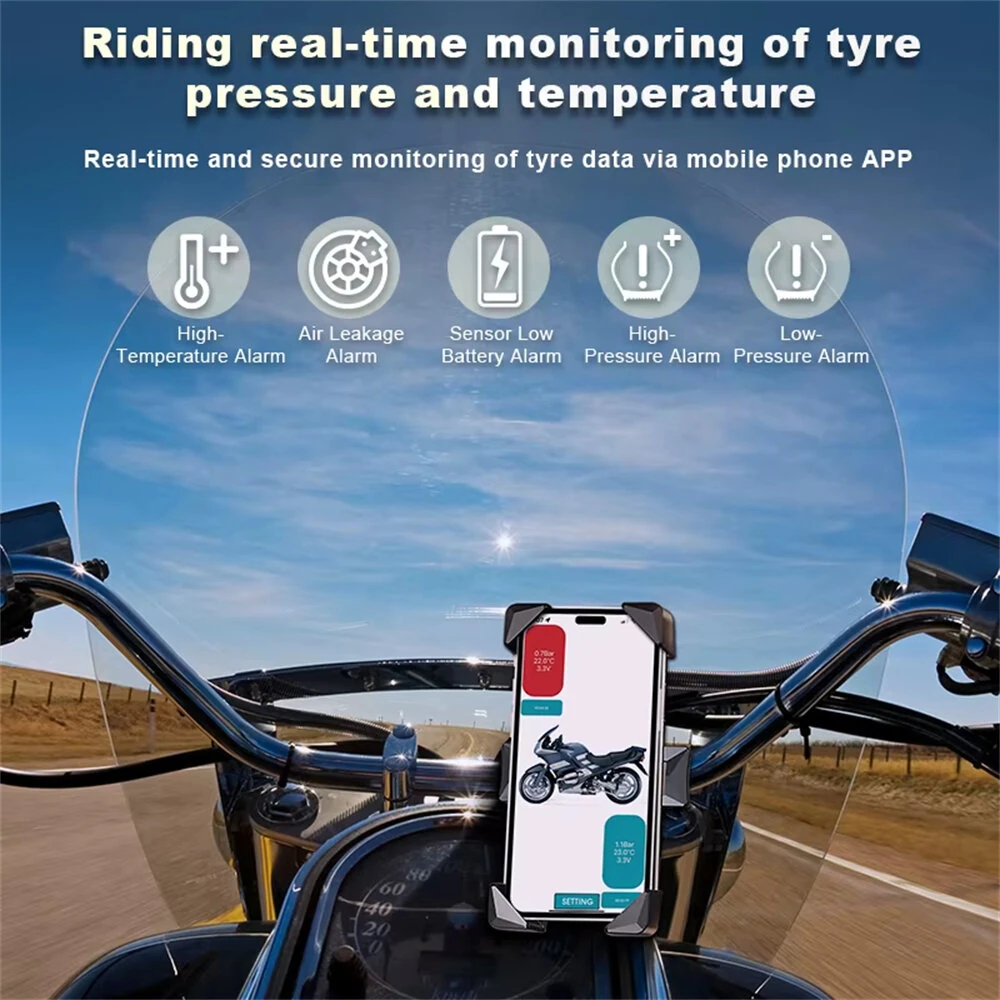
Real‑time monitoring for 2 3 or 4 wheels with simultaneous display of pressure temperature and sensor voltage on the mobile app refresh about every 6 seconds for timely updates.
Wide measuring range zero point seven to seven Bar with plus minus 0.1 Bar accuracy Select BAR PSI or KPA and fine tune high and low alert thresholds per vehicle.
Stable low power BLE 4 connection for quick pairing smooth data and strong anti interference Automatically reconnects when you start driving.
Multi alarm protection with on screen ups and sound alerts for rapid leak slow leak high pressure low pressure high temperature low sensor battery and sensor fault.
External cap sensors install in minutes without wiring Anti theft lock design with included wrenches Easily swap tire positions in app after rotation.
Built to go anywhere IP67 water and dust resistance operates from minus 40 to 125 C Compact 18.4 mm cap design with replaceable coin cell lasting about 1 to 2 years.
Package included:
2, 3 or 4 x Sensors
1 Metal Wrench
1 x Plastic Wrench






