1 / 7 · Click to enlarge
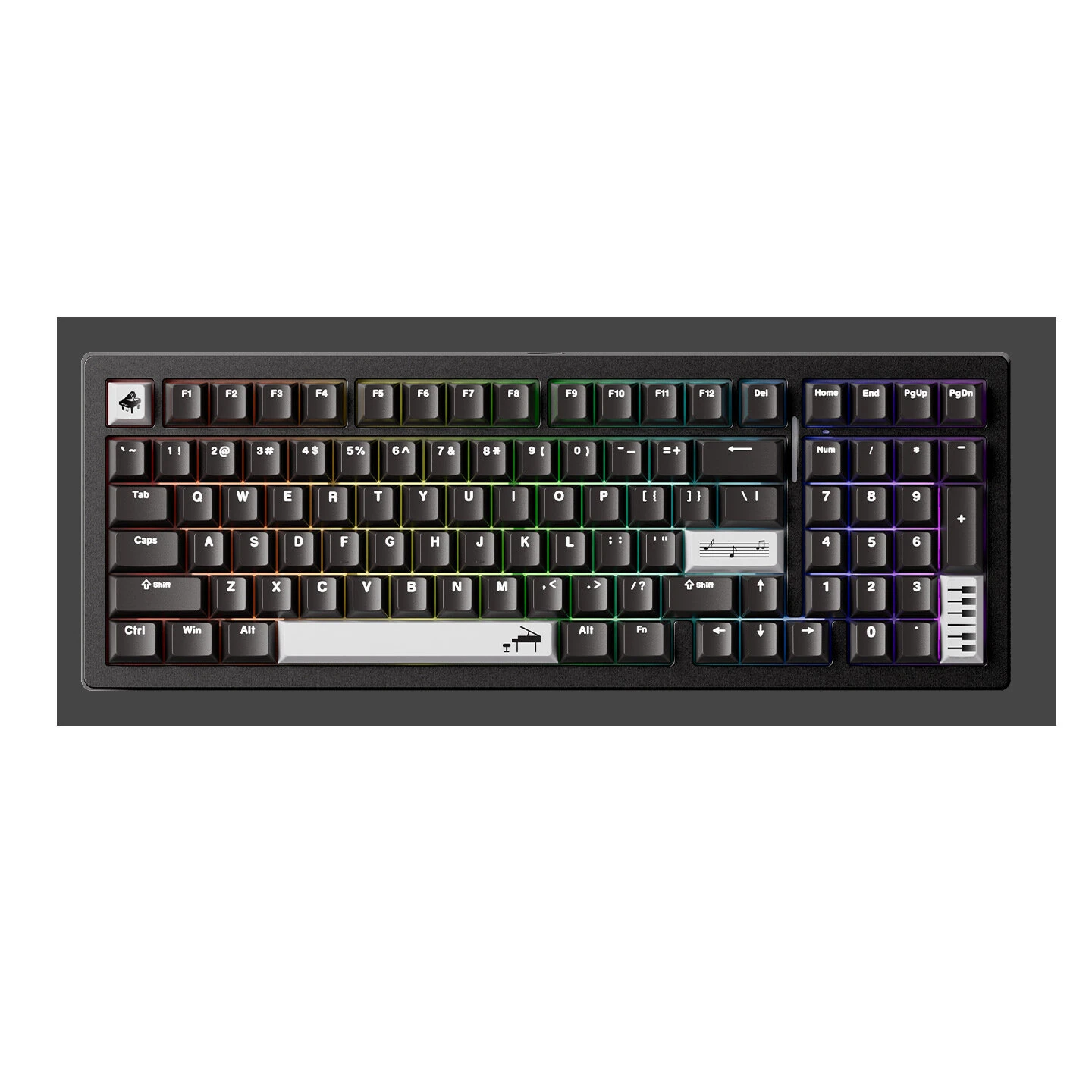
MonsGeek M2 V5 VIA CNC Aluminum Mechanical Keyboard Three-mode Gasket Structure RGB Backlight 8000mAh Battery PBT Dual-color Injection Keycaps 98-Keys Gaming Keyboards
The MonsGeek M2 V5 VIA CNC Aluminum Mechanical Keyboard Three-mode Gasket Structure RGB Backlight 8000mAh Battery PBT Dual-color Injection Keycaps 98-Keys Gaming Keyboards by MonsGeek is a premium keyboards & mouse designed for gamers and content creators. It features Brand: MonsGeek and Model: M2 V5 VIA.
Available Offers
Free Delivery on this order. No minimum order value.
15-Day Easy Returns — hassle-free return & full refund.
Secure Payment — 100% safe checkout with UPI, Cards & Net Banking.
Price: ₹19,322
Available Offers
5% Cashback
Pay with UPI & get 5% cashback (up to ₹50) via Razorpay
No-Cost EMI
Available on select bank cards at checkout. 0% interest for 3 months.
Free Shipping
Free delivery on all orders. No minimum order value.
Cash on Delivery
COD available on orders up to ₹5,000 across India.
Quick Specs
Ideal For
About This Product
The MonsGeek M2 V5 VIA CNC Aluminum Mechanical Keyboard Three-mode Gasket Structure RGB Backlight 8000mAh Battery PBT Dual-color Injection Keycaps 98-Keys Gaming Keyboards by MonsGeek is a premium keyboards & mouse designed for gamers and content creators. It delivers reliable performance at an accessible price.
Key Specifications
- Brand: MonsGeek
- Model: M2 V5 VIA
- Keycap: PBT Two-color Injection
- Structure: Gasket Structure
- Backlight: ARGB
- Layout: 98 Keys
- Battery: 8000mAh — keeps you powered without frequent recharging
- Connection: Wired/2.4G Wireless/bluetooth — faster pairing, longer range, and lower battery draw
Why Buy from Pricio?
Pricio sources this product directly, cutting out multiple middlemen. Every order includes free shipping, a 15-day return policy, and secure payment via Razorpay.
Features:
1. CNC Aluminum Body: Precisely engineered for premium build and refined aesthetics.2. Triple Mode Connection: Offers flexible connectivity via wired, bluetooth, or 2.4G wireless mode.
3. Customizable VIA Drivers: Users can freely configure key mappings without additional downloads.
4. PBT Two-Tone Keycaps: High-quality material with a textured finish, resistant to fading or wear.
5. RGB Backlighting: 16 million vibrant colors for an immersive typing or gaming experience.
6. 98% Layout: Includes essential keys while saving desk space, suitable for office and gaming use.
Package Include:
1x Keyboard
1x Power Cable
1x USB Receiver
1x Key Puller
1x Switch Puller
1x Dustproof Cover
Notice: 1. Please charge the keyboard before first use. 2.It is recommended to charge the keyboard only via a computer USB port. 3.Do not use fast-charging phone chargers to charge the keyboard. 4.Do not use low-quality or non-standard power adapters to charge the keyboard. 5.Do not use over-voltage or over-current power adapters to charge the keyboard. 6.Please refer to the detailed instructions in the user manual.