1 / 5 · Click to enlarge
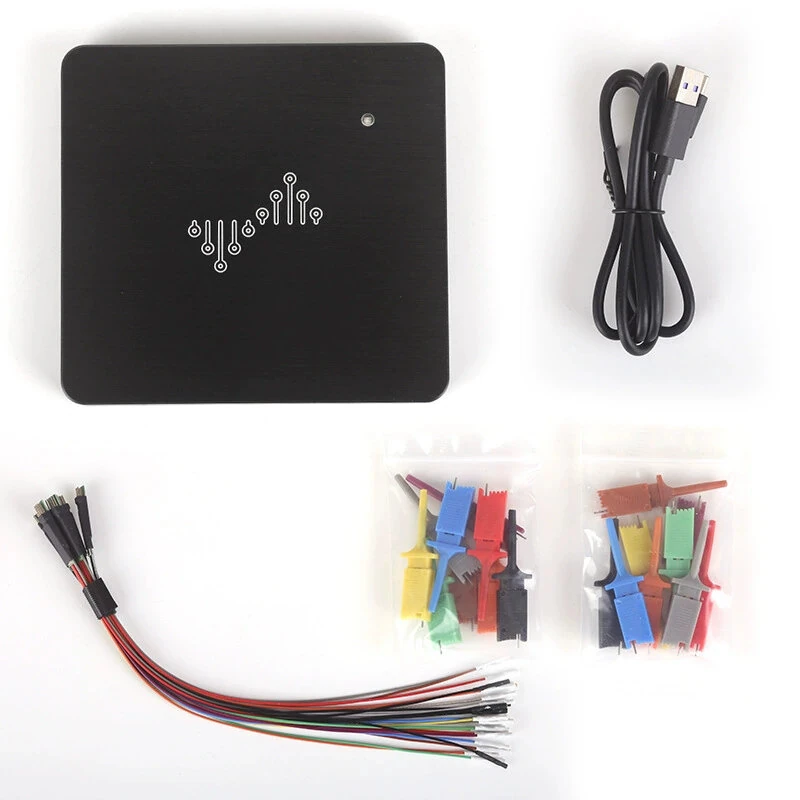
DSLogics U2Basic Logics Analyzer 16 Channels 100MHz USB 2.0 Up To 1GHz Sampling Hardware Trigger Protocol Analysis Digital Signal Debug Tool
The DSLogics U2Basic Logics Analyzer 16 Channels 100MHz USB 2.0 Up To 1GHz Sampling Hardware Trigger Protocol Analysis Digital Signal Debug Tool is a premium test & measuring module designed for DIY enthusiasts and makers.
Available Offers
Free Delivery on this order. No minimum order value.
15-Day Easy Returns — hassle-free return & full refund.
Secure Payment — 100% safe checkout with UPI, Cards & Net Banking.
26% Off — you save ₹2,714 on this product!
Color: Black
Available Offers
5% Cashback
Pay with UPI & get 5% cashback (up to ₹50) via Razorpay
No-Cost EMI
Available on select bank cards at checkout. 0% interest for 3 months.
Free Shipping
Free delivery on all orders. No minimum order value.
Cash on Delivery
COD available on orders up to ₹5,000 across India.
Ideal For
About This Product
The DSLogics U2Basic Logics Analyzer 16 Channels 100MHz USB 2.0 Up To 1GHz Sampling Hardware Trigger Protocol Analysis Digital Signal Debug Tool is a premium test & measuring module designed for DIY enthusiasts and makers. It delivers reliable performance at an accessible price.
Why Buy from Pricio?
Pricio sources this product directly, cutting out multiple middlemen. Every order includes free shipping, a 15-day return policy, and secure payment via Razorpay.
Specification
Product Series: DSLogics Series Logics Analyzer
Model: DSLogics U2Basic
USB Interface: USB 2.0
Channels: 16 channels
Sampling Rate: 100MHz
Maximum Sampling Rate: Up to 1GHz (8 channels)
Hardware Memory: Up to 4Gbits
Acquisition Modes: Buffer mode, Stream mode
Trigger Types: Simple trigger, 16-level hardware trigger, protocol trigger
Supported Protocols: I2C, SPI, UART, CAN
Threshold Voltage: 0-5V adjustable, 0.1V step
Withstand Voltage Range: +/-30V
Input Impedance: 250K//~13pF
Maximum State Sampling: 50MHz
Transmission Support: USB 2.0/3.0 high-speed transmission
Cable Type: High-frequency shielded cable interface, independent shielded ground for each channel
Logics Analyzer Size: 79mm x 74mm x 9mm
Oscilloscope Size: 115mm x 74mm x 16mm
Features
1) Designed for digital signal debugging with multi-channel, high-speed, and long-time gap-free acquisition.
2) Supports Buffer mode for short-time high-precision capture and Stream mode for continuous acquisition.
3) Up to 1GHz sampling rate on 8 channels with up to 4Gbits hardware memory.
4) Supports simple trigger, 16-level hardware trigger, and protocol trigger for precise signal capture.
5) Supports protocol analysis for I2C, SPI, UART, and CAN in embedded development and circuit debugging.
Package Included
1 x DSLogics Series Logics Analyzer Kit