1 / 5 · Click to enlarge
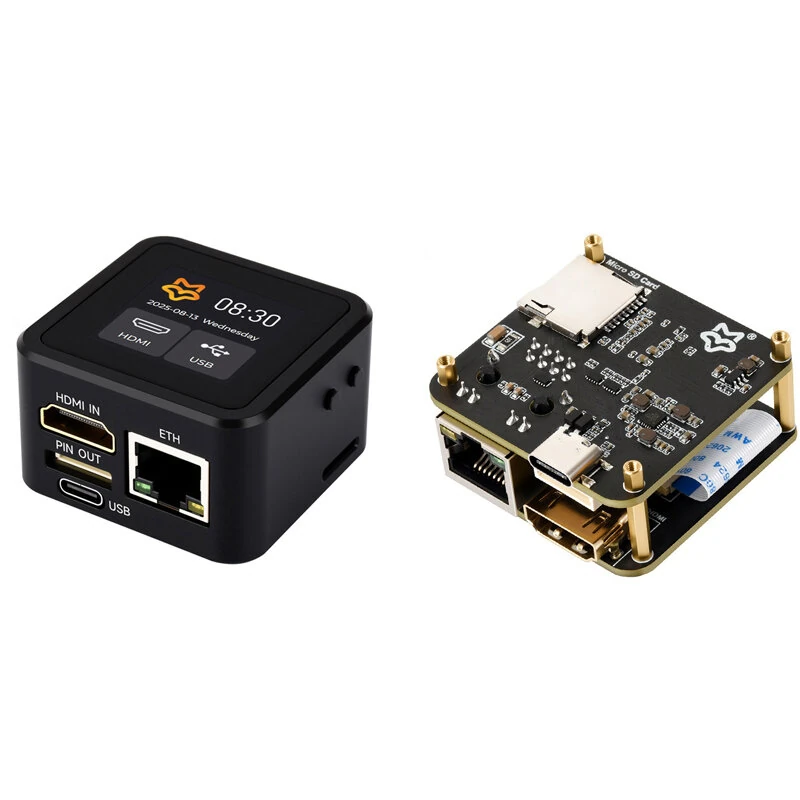
Luckfox Pico KVM Lightweight IP KVM Remote Management Tool (Basic Version)
The Luckfox Pico KVM Lightweight IP KVM Remote Management Tool (Basic Version) by Luckfox is a premium iot development boards designed for DIY enthusiasts and makers. It features Item Type: Remote Management Tool and Model No. / Name: Luckfox PicoKVM Base.
Available Offers
Free Delivery on this order. No minimum order value.
15-Day Easy Returns — hassle-free return & full refund.
Secure Payment — 100% safe checkout with UPI, Cards & Net Banking.
Available Offers
5% Cashback
Pay with UPI & get 5% cashback (up to ₹50) via Razorpay
No-Cost EMI
Available on select bank cards at checkout. 0% interest for 3 months.
Free Shipping
Free delivery on all orders. No minimum order value.
Cash on Delivery
COD available on orders up to ₹5,000 across India.
Quick Specs
Ideal For
About This Product
The Luckfox Pico KVM Lightweight IP KVM Remote Management Tool (Basic Version) by Luckfox is a premium iot development boards designed for DIY enthusiasts and makers. It delivers reliable performance at an accessible price.
Key Specifications
- Item Type: Remote Management Tool
- Model No. / Name: Luckfox PicoKVM Base
- Processor Type: RV1106G3 — smooth, lag-free performance
- Storage Capacity: 8GB eMMC — plenty of room for files, apps, and media
- Core: 1 × A7@1.2G
- Memory Capacity: 256M DDR3 — effortless multitasking
- System: PicoKVM
- Resolution: 1080P@60FPS
Why Buy from Pricio?
Pricio sources this product directly, cutting out multiple middlemen. Every order includes free shipping, a 15-day return policy, and secure payment via Razorpay.
The Luckfox PicoKVM (Basic Version) is a lightweight IP KVM remote management tool designed for developers, IT administrators, and makers who need simple, reliable, and affordable out-of-band system access. With support for 1080p@60fps HDMI video input and HID signal output, it enables seamless control of PCs, servers, and development boards directly through a network connection.
Users can interact with the host device as if physically present, thanks to low-latency video streaming, USB keyboard/mouse emulation, and remote system management features. Compact and efficient, the PicoKVM Basic provides stable performance for remote troubleshooting, BIOS/UEFI configuration, and device maintenance without extra software.


Features:
- Real-time 1080p at 60 fps HDMI video capture
- USB HID emulation for keyboard, mouse, and storage
- Low-latency video transmission (80–200ms)
- 100 Mbps Ethernet interface for stable connectivity
- Supports remote BIOS/UEFI access and control
- Compact size, easy to deploy in any environment
- Driver-free web access for remote management