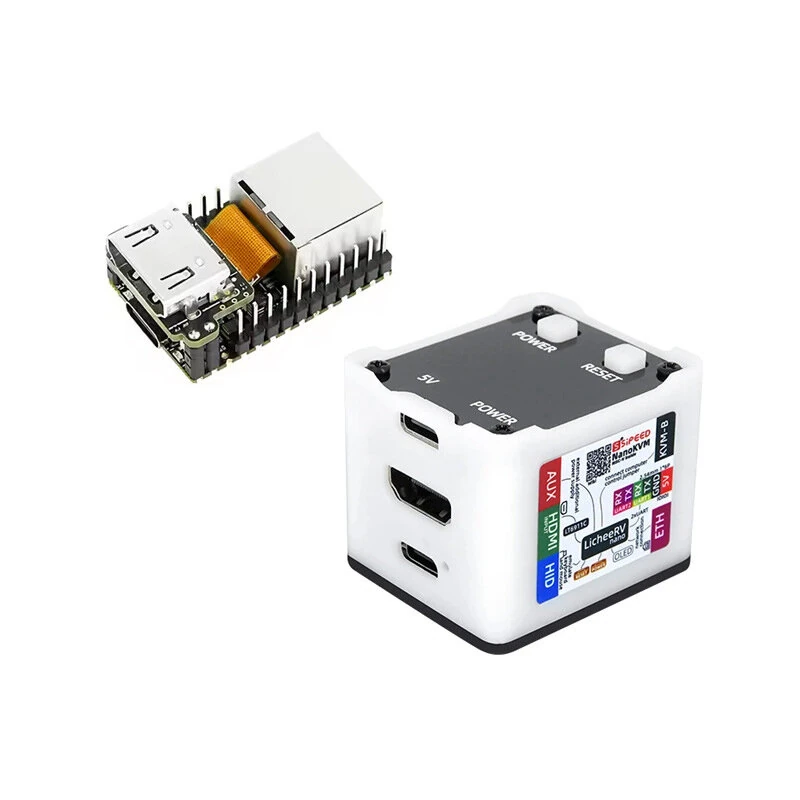
1 / 2 · Click to enlarge
Sipeed LicheeRV Nano (E) SG2002 Ethernet AI Visual RISC-V Linux Development board
The Sipeed LicheeRV Nano (E) SG2002 Ethernet AI Visual RISC-V Linux Development board by Sipeed is a mid-range risc-v core development boards designed for everyday users. It features Item Type: Development Board and Model Series: Sipeed Lichee.
Available Offers
Free Delivery on this order. No minimum order value.
15-Day Easy Returns — hassle-free return & full refund.
Secure Payment — 100% safe checkout with UPI, Cards & Net Banking.
Available Offers
5% Cashback
Pay with UPI & get 5% cashback (up to ₹50) via Razorpay
No-Cost EMI
Available on select bank cards at checkout. 0% interest for 3 months.
Free Shipping
Free delivery on all orders. No minimum order value.
Cash on Delivery
COD available on orders up to ₹5,000 across India.
Quick Specs
Ideal For
About This Product
The Sipeed LicheeRV Nano (E) SG2002 Ethernet AI Visual RISC-V Linux Development board by Sipeed is a mid-range risc-v core development boards designed for everyday users. It delivers reliable performance at an accessible price.
Key Specifications
- Item Type: Development Board
- Model Series: Sipeed Lichee
- RAM: 256MB, 2Gbit DDR3 — effortless multitasking
- Camera Details: 4-lane MIPI CSI input — captures sharp, detailed images
- Display: 2-lane MIPI DSI output, 31-pin interface, supports 6-pin capacitive touch screen — crisp, vibrant visuals in any lighting
- WiFi (Y/N): Dual-band 2.4G/5.8G WiFi6, BLE5.4 — fast, stable wireless internet
- USB: USB2.0 OTG Type-C
- Bluetooth Version: Supports Bluetooth 5.1 dual mode function — faster pairing, longer range, and lower battery draw
Why Buy from Pricio?
Pricio sources this product directly, cutting out multiple middlemen. Every order includes free shipping, a 15-day return policy, and secure payment via Razorpay.


Features:
- Processor: SOPHGO SG2002 with 1GHz RISC-V C906.
- Memory: Integrated 2Gbit (256MB) DDR3.
- AI Capabilities: ITOPS@INT8 NPU, supports BF16.
- Camera Support: 4-lane MIPI CSI input.
- Display: 2-lane MIPI DSI output, supports capacitive touch screens.
- Audio: Onboard MEMS mic, 1W speaker amplifier.
- Connectivity: Dual-band WiFi6, BLE5.4, and 100Mbps Ethernet.
- USB: USB2.0 OTG Type-C.
- GPIO: 2 x 14-pin headers, breadboard-compatible.
- Indicators: Power LED, User LED, RST and BOOT buttons.
- OS Support: Buildroot Linux, Debian, Fedora (porting).